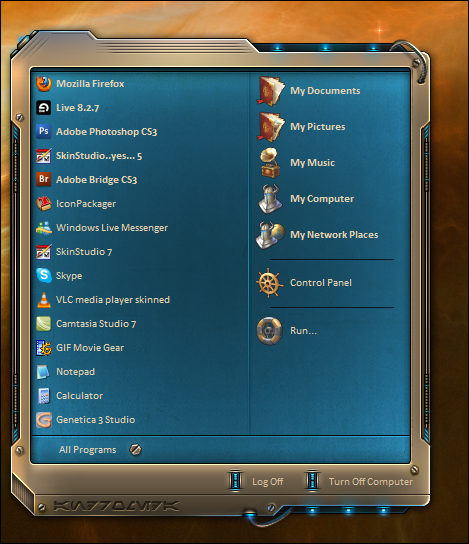
Dreamed this up last night, more to follow....
..lots more...
Subject to change*
lol....get to work...
Who said I'm not
Thanks Jum.. but on a serious note..
La la la la la la la la
Hey John...
I love it... as usual that I love all of your work. This is another one that I can't wait for you to finish! Another blind for the V Styler collection.
The Cats Meow Mix
Thanks Kell'eh, and thx everyone for the motivation... lord knows I need it.
Doc, lol@thewhiterussianPM.
Too frazzled to reply to it over there.
Now, everyone.. drink up.
Okay.
BTW - any bibs and bobs you save please send to mine greedy self, if you want that is. The psd I got was very well organized and that made a big difference. Thought I had lost it for a bit though. In the meantime....pins and needles. lol
looks great
well organized... haha.. ok man.
Thanks Rolo
Can't wait.
Thanks Carl..
No rest for the weary!!
That looks like a retread tire. Never did trust them things.
Well, after messing with these textures in the frames from a couple of days now, I think Im just going to scrap it, and perhaps the texture on the start menu as well.. I thought I could use glyphs in the frames and toolbars to tile the textures while stretching the frame and toolbar.. Anyway, either I have forgotten how, I never knew how, or it just doesn't work, as i can't get it working.
there is no other way to tile a texture and have the gradient stretch, you can only do one or the other.
If anyone has had success getting glyphs working as textures in the frames and toolbar, feel free to pipe up.
Layers, my friend. Use em
Yeah, i meant layers of course... has anyone successfully used them in frames and toolbar for a texture?
Example skin?
My problem is, the blending option choices will not overlay the texture in the same manner as it looks in Photoshop, after being flattened and dodge brushed. There is no 'Vivid light' blend mode, that would achieve the same look.
Anyway, thanks for chiming in Tim, your couple of words there just set off a light bulb in my head, regarding remembering how to set up layers in SKS.
Hope it works for the toolbar too, or its all moot.